Public Bellwether article
Shop Roaster: Checking Power, Initial Boot Up & Registration
Source: Bellwether Coffee,https://help.bellwethercoffee.com/shop-roaster-boot-up-. Reproduced for owners; © Bellwether Coffee Co.
Group: Install, power and safety
Source: Bellwether Coffee, original article. Reproduced for owners; © Bellwether Coffee Co.
No Parts Required.
Tools Required:
- Mutlimeter
Process:
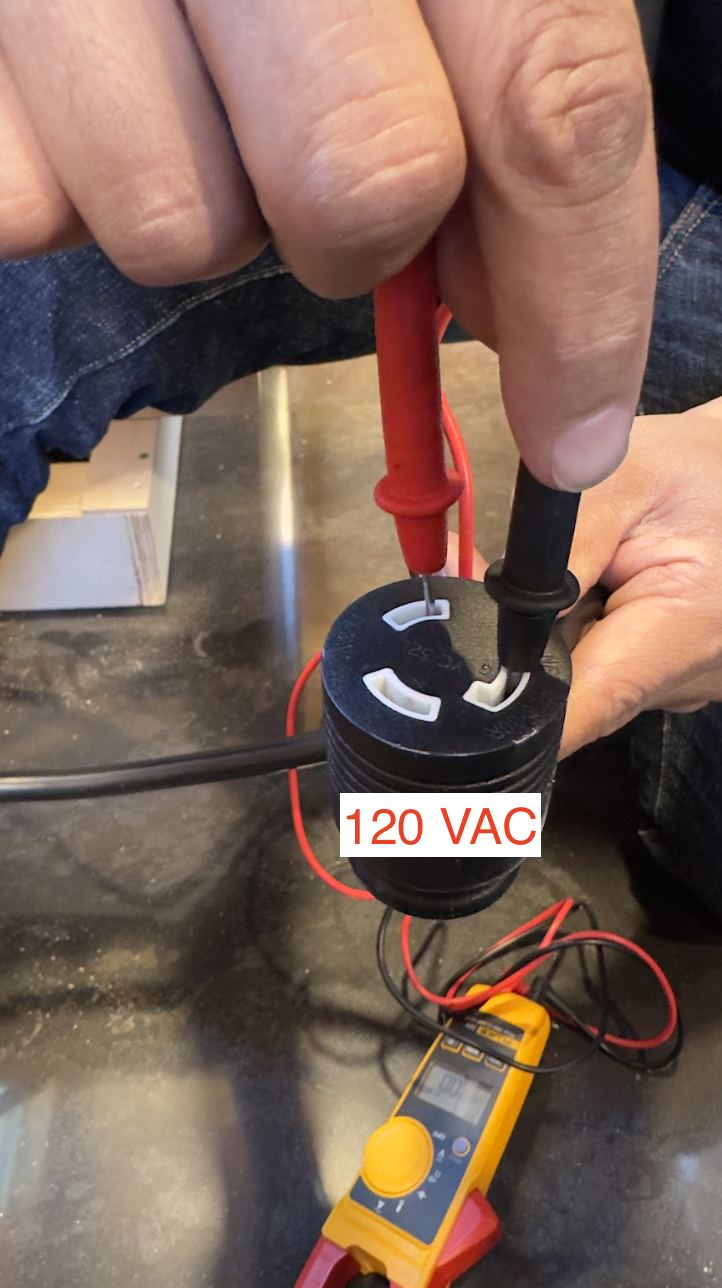
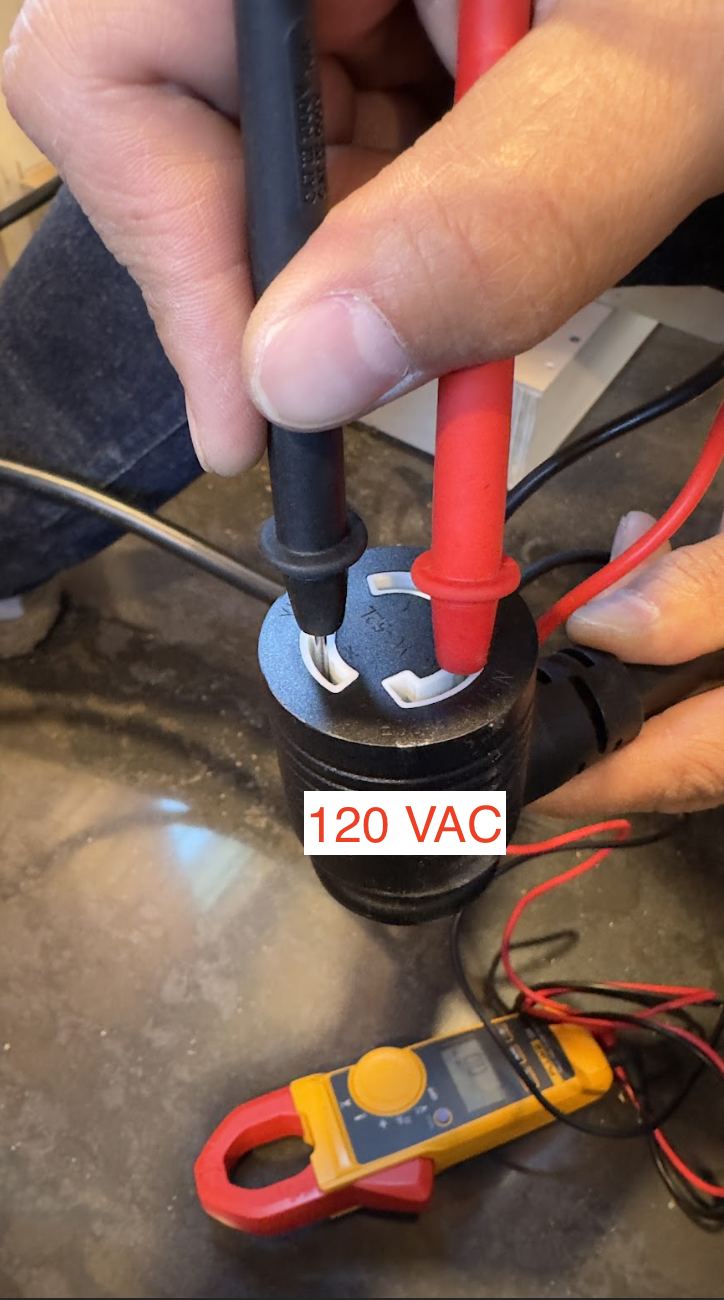
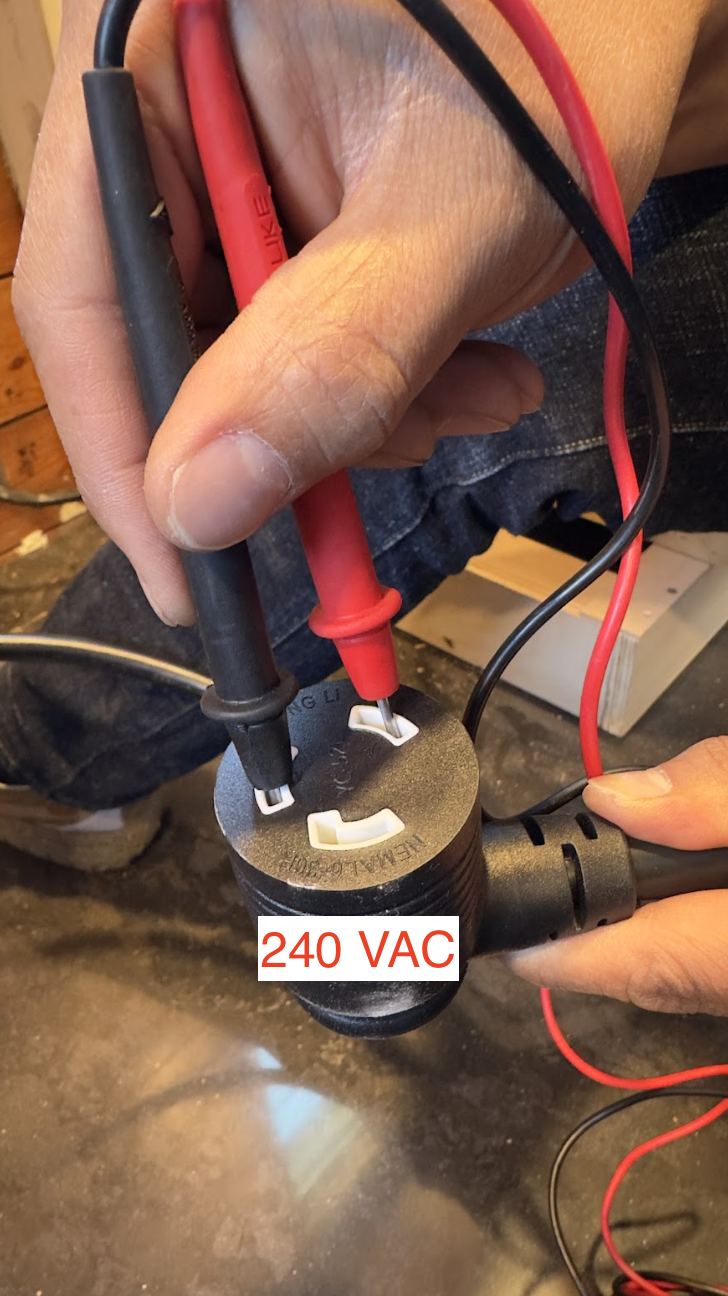
- Before powering up the machine, make sure to measure the voltage from the wall with a Multimeter. Wire the included cable to the wall and then test the connector that is plugged into the back of the unit. It’s a 3-wire single phase on a 30A breaker. Voltage should be ~240V between the hot leads and ~120V from the hots to ground.
Source: Bellwether Coffee, original article. Reproduced for owners; © Bellwether Coffee Co.
Source: Bellwether Coffee, original article. Reproduced for owners; © Bellwether Coffee Co.
Source: Bellwether Coffee, original article. Reproduced for owners; © Bellwether Coffee Co.
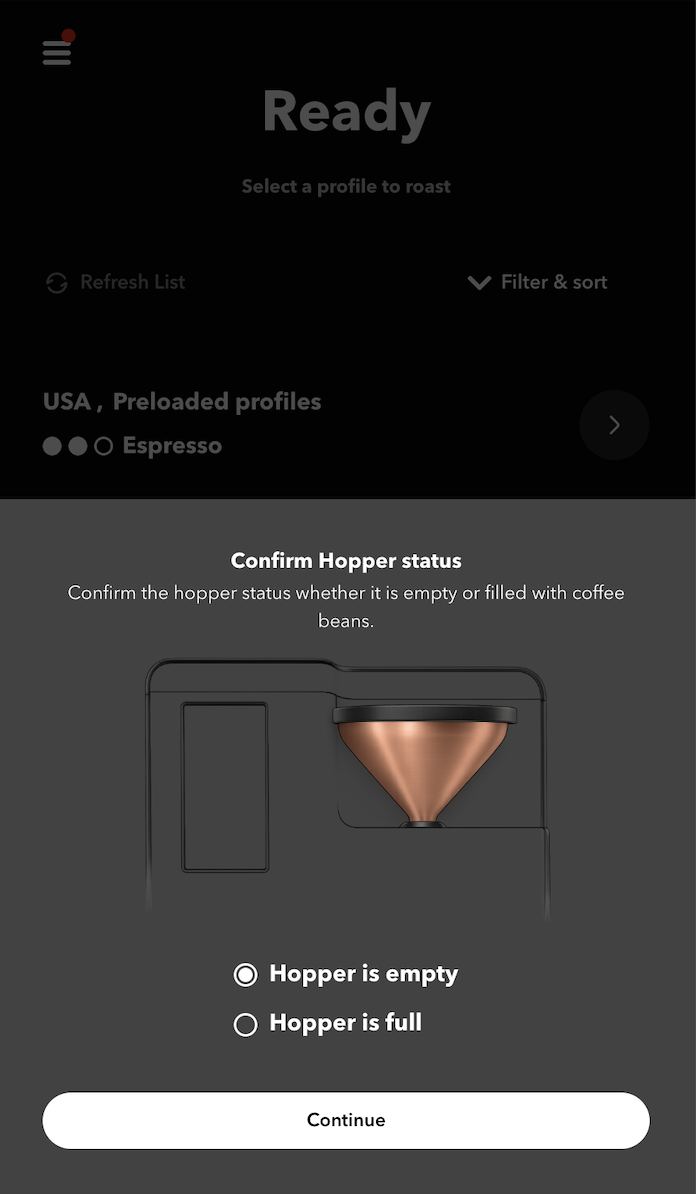
- Flip the power switch on and roaster will begin its initial boot up. Some noises are normal during this process and when the screen gets to the “Confirm Hopper status” screen, it’s ready to use. Confirm whether or not the Hopper is loaded with green coffee or not to progress to the home screen.
Source: Bellwether Coffee, original article. Reproduced for owners; © Bellwether Coffee Co.
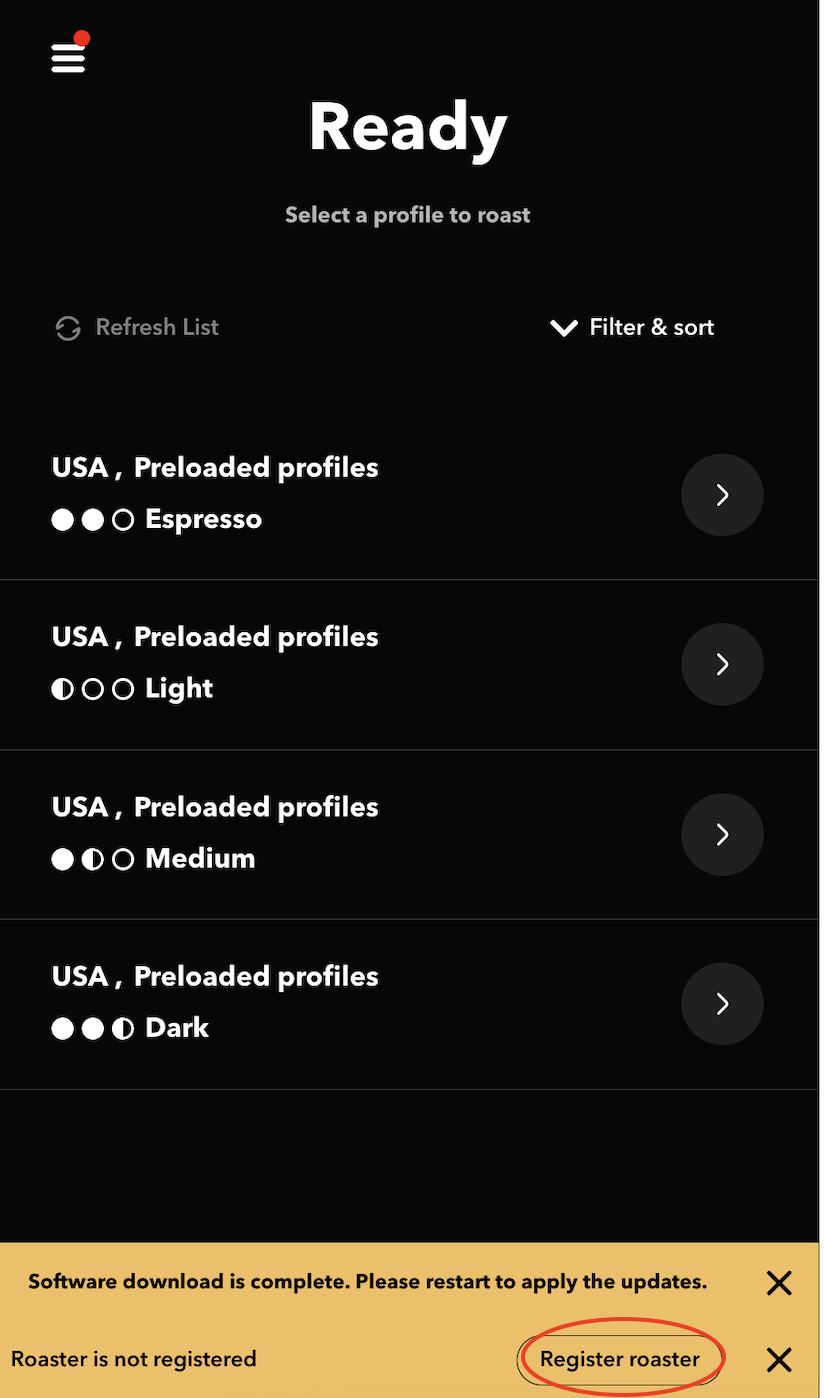
- First, let’s begin the registration process. Select the button on the bottom right of the screen that says “Register roaster”.
Source: Bellwether Coffee, original article. Reproduced for owners; © Bellwether Coffee Co.
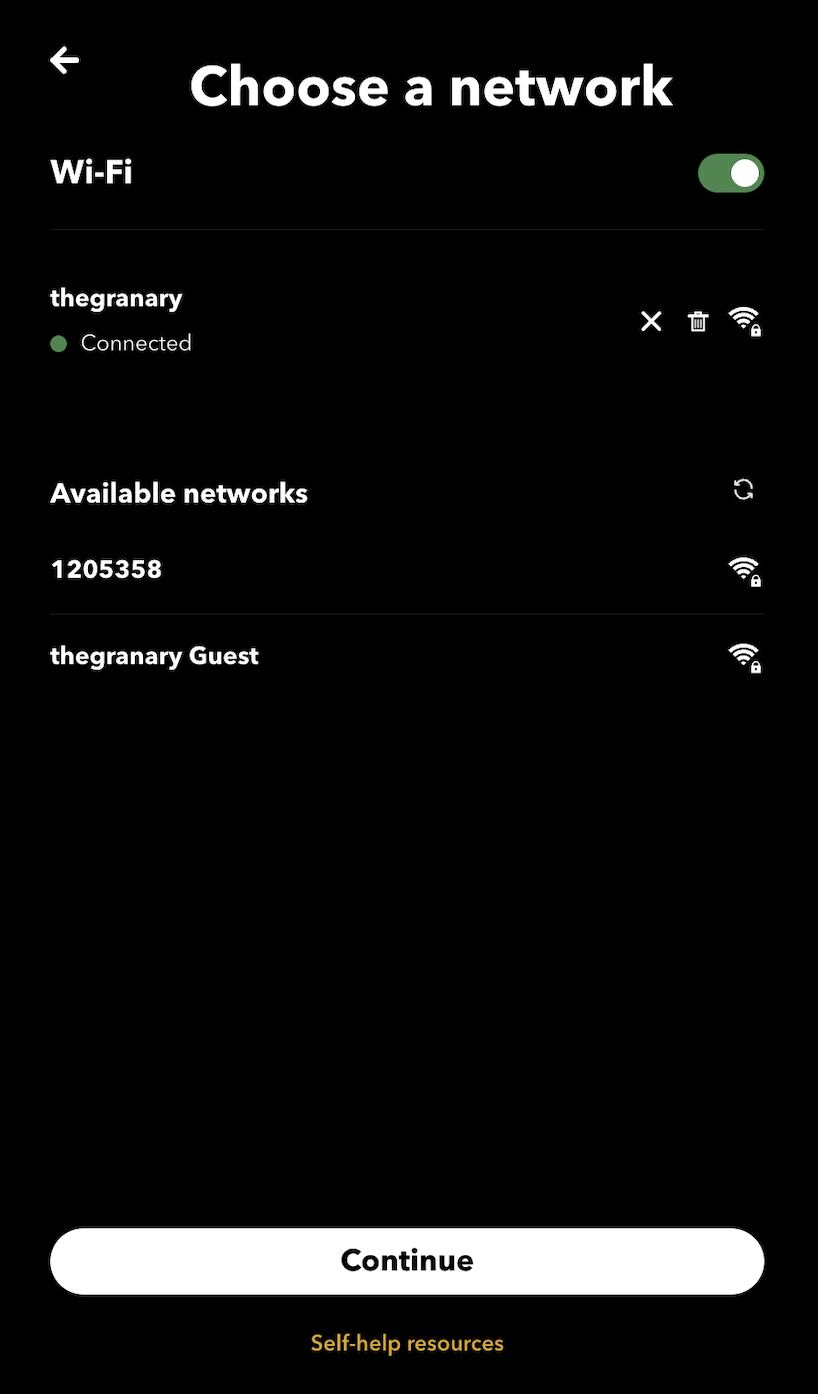
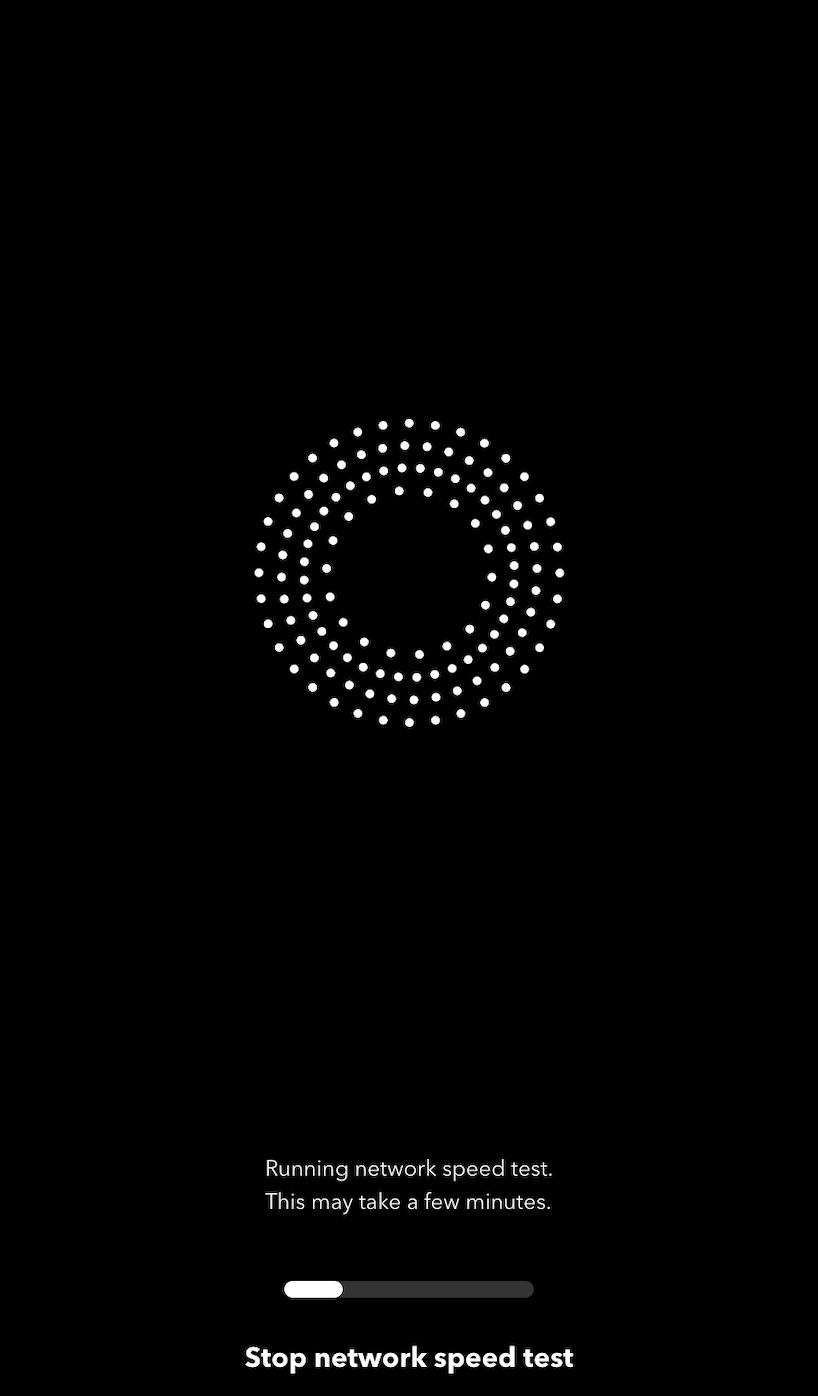
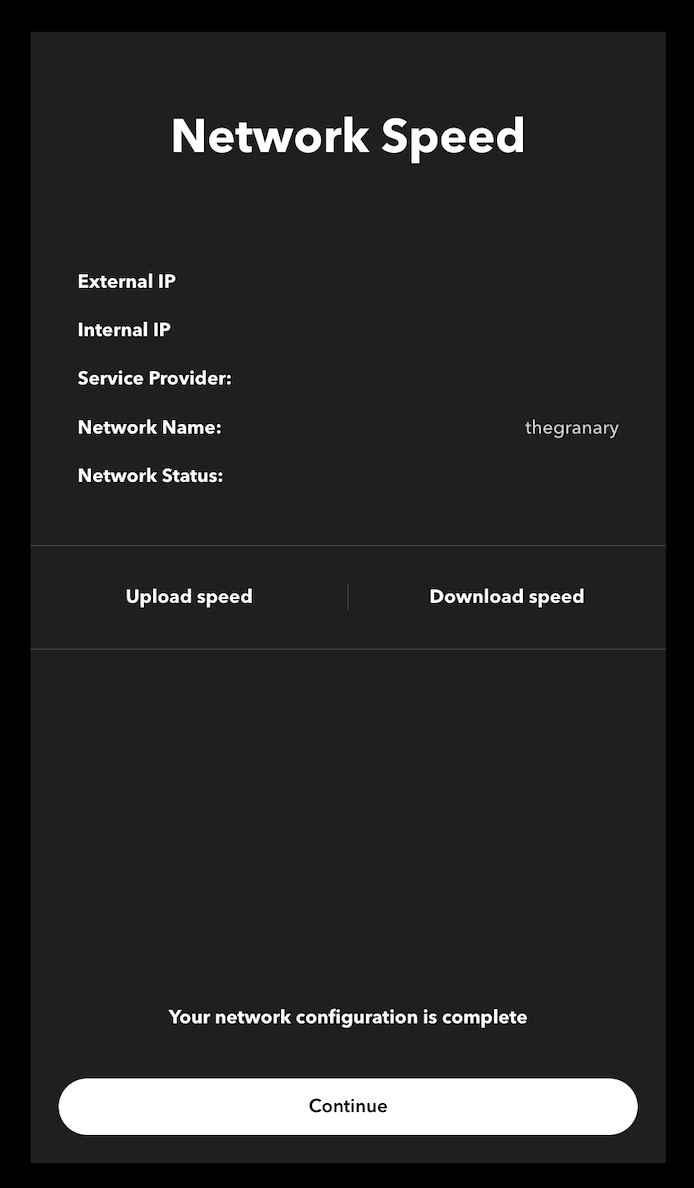
- Connect the Roaster to the local wifi network. The network must be password-protected for it to connect to it. A speed test will automatically be run on the network. The results may or may not populate on the “Network Speed” screen. Hit “Continue” to move to the Registration screen.
Source: Bellwether Coffee, original article. Reproduced for owners; © Bellwether Coffee Co.
Source: Bellwether Coffee, original article. Reproduced for owners; © Bellwether Coffee Co.
Source: Bellwether Coffee, original article. Reproduced for owners; © Bellwether Coffee Co.
-
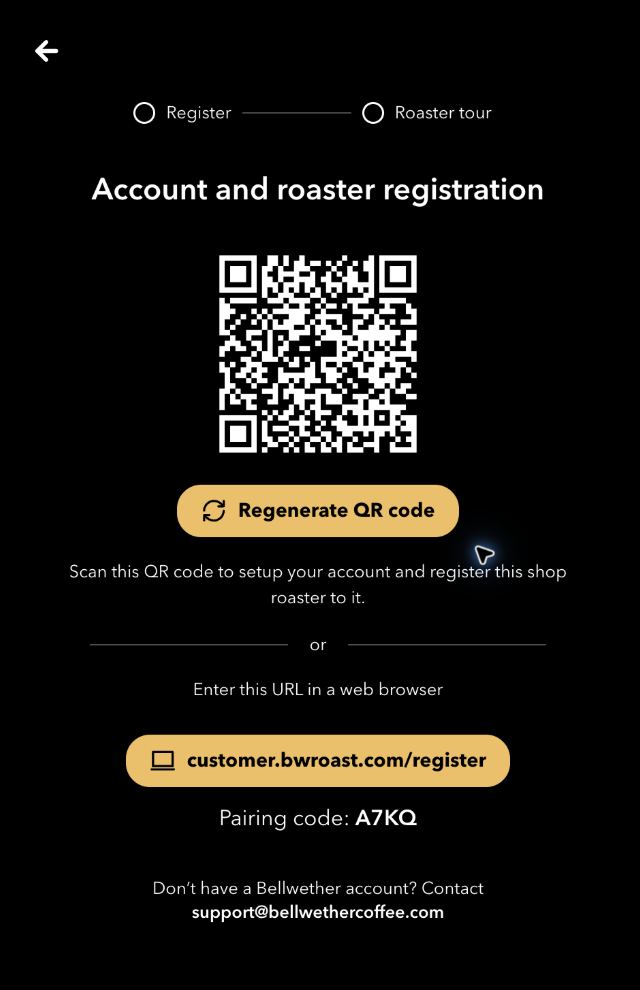
The roaster will then display a QR code. You may also open customer.bwroast.com/register and enter the 4-character code (valid 10 minutes). Reach out to [email protected] if you do not have an account.
Source: Bellwether Coffee, original article. Reproduced for owners; © Bellwether Coffee Co.
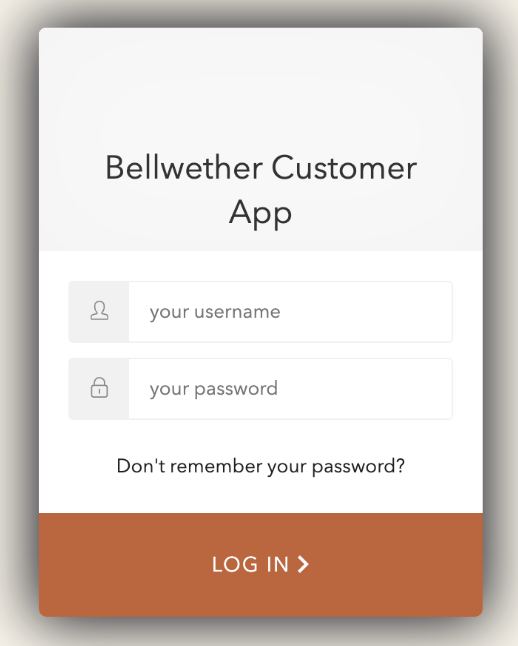
- Sign in with the customer’s Bellwether account. No account? Contact [email protected].
Source: Bellwether Coffee, original article. Reproduced for owners; © Bellwether Coffee Co.
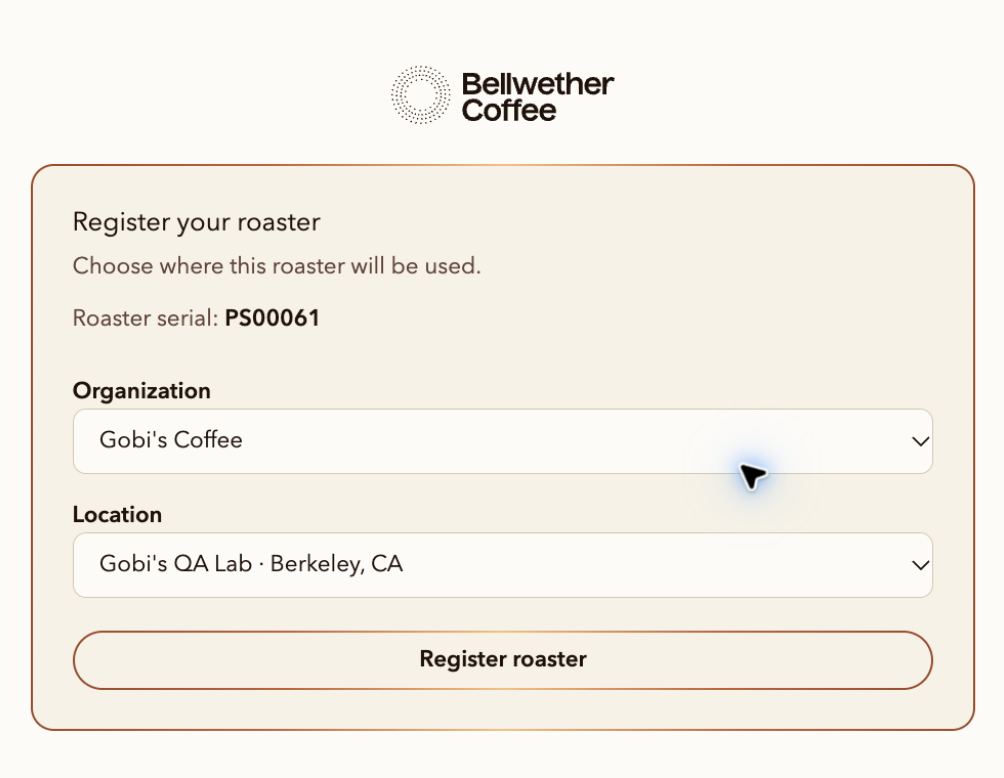
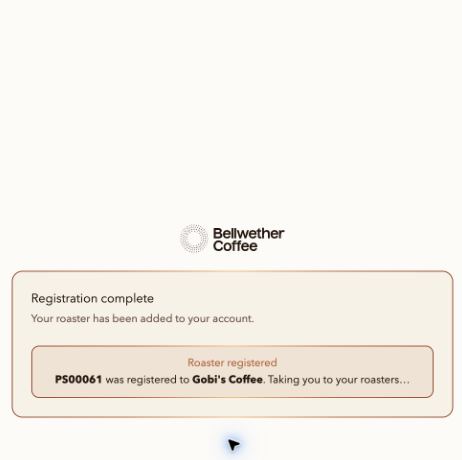
- Select the correct destination. Verify the serial number. Select organization and location (if shown), then Register roaster. Confirm that this is done be seeing the “Registration complete” screen.
Source: Bellwether Coffee, original article. Reproduced for owners; © Bellwether Coffee Co.
Source: Bellwether Coffee, original article. Reproduced for owners; © Bellwether Coffee Co.
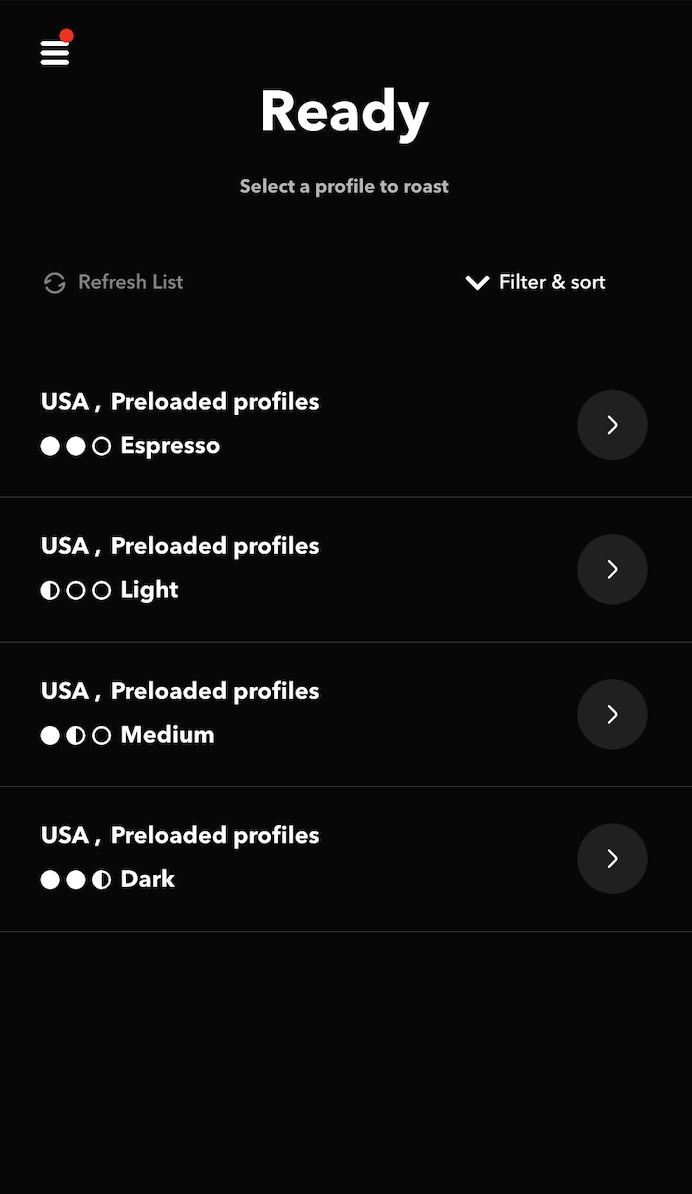
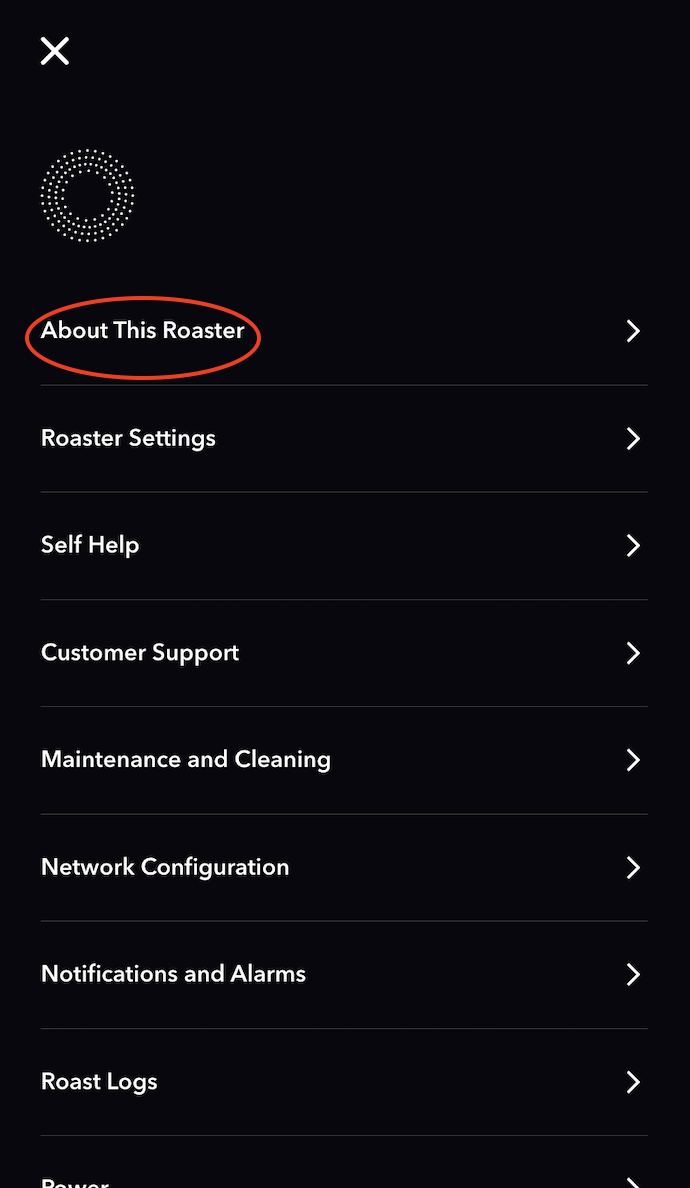
- Finish on the Roaster. When The Registration is complete, it will take you back to the Home or Profile screen. To confirm that the Registration was successful, go to the About This Roaster page from the Settings and confirm the right account is showing.
Source: Bellwether Coffee, original article. Reproduced for owners; © Bellwether Coffee Co.
Source: Bellwether Coffee, original article. Reproduced for owners; © Bellwether Coffee Co.
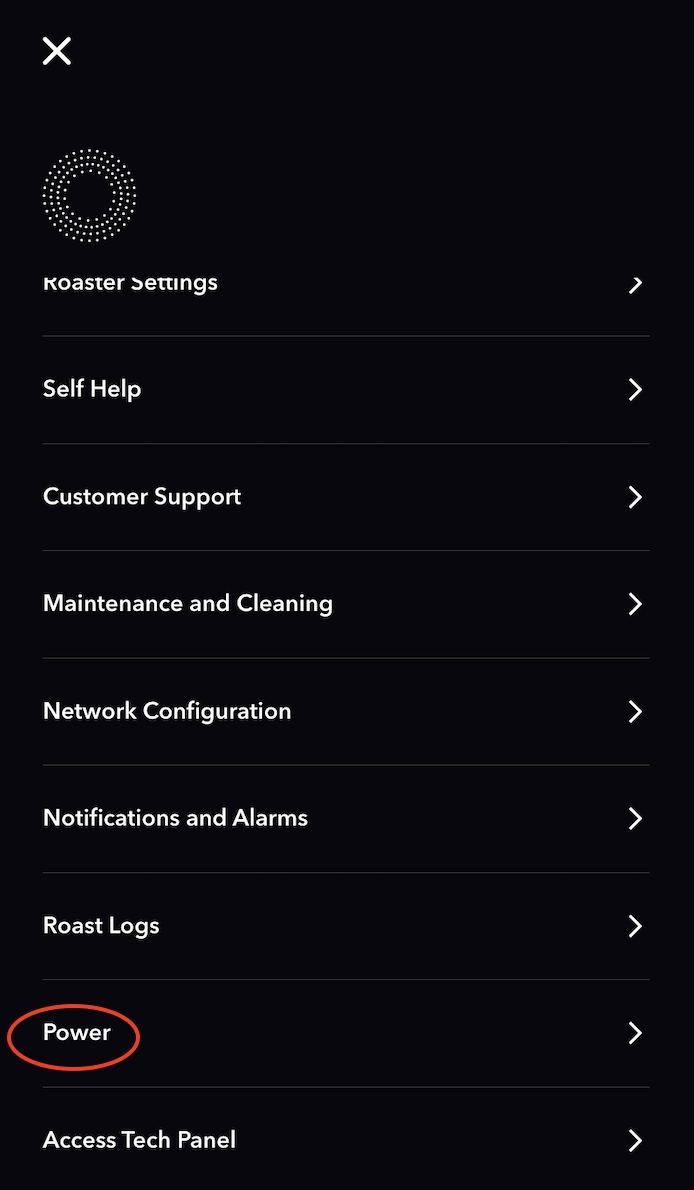
- At some point during this process, the Roaster may reboot automatically or ask you to reboot during this process. This is normal as the Roaster begins its auto-update after joining the Wifi network. To restart, hit the menu button > select “Power” > select “Restart Roaster”. >>> LINK <<<
Source: Bellwether Coffee, original article. Reproduced for owners; © Bellwether Coffee Co.
Quick help:
- Expired or invalid code — generate a new code on the roaster.
- No organization or location — confirm account access; location may be optional.
- Temporarily unavailable — wait a few minutes, then retry.
- Wrong Serial Number — stop and start again from the correct roaster.